Classic Minesweeper, in Your Browser
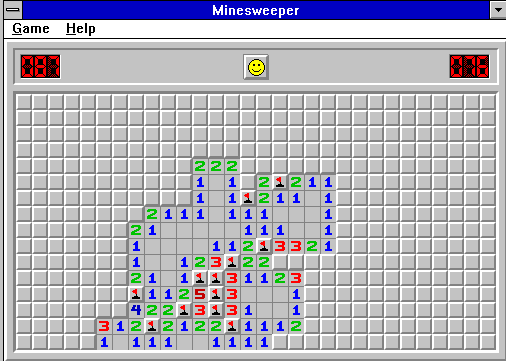
Minesweeper is a logic puzzle played on a grid of hidden squares. Open the safe squares without uncovering a mine. Each number tells you exactly how many mines touch it, including diagonally.
How the Game Works
Use the left mouse button to open a square and the right button to flag a suspected mine, provided those controls are supported by your browser and emulator. When you uncover a number, inspect its eight neighboring positions before making the next move.
For a full explanation of numbered clues, safe moves, common patterns and shortcuts, read the Minesweeper rules and strategy guide.
Three Useful Habits
- Count unopened neighbors: if a 1 has just one remaining covered neighbor, that square must contain a mine.
- Mark only certain mines: a flag is a note, not a guess you must commit to.
- Compare adjacent numbers: overlapping clues often identify safe moves that a single clue cannot.
A Short History
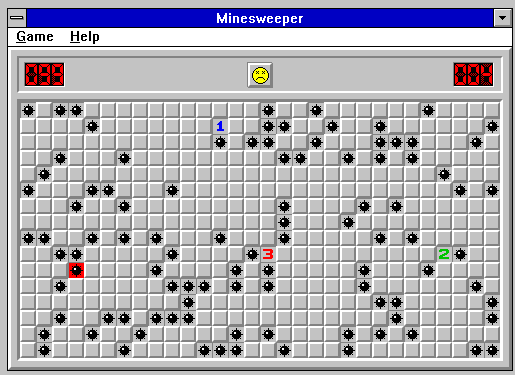
Microsoft's Minesweeper appeared in the first Microsoft Entertainment Pack in 1990 and later became a standard Windows game with Windows 3.1 in 1992. It helped familiarize many PC users with left- and right-clicking, although the exact original design motivations are not fully documented. Learn more in the history of Windows Minesweeper.
Other Versions of Minesweeper
There are related versions on other platforms. For comparison, see Minesweeper for DOS and Minesweeper for Game Boy on ClassicGamesDB.
Frequently Asked Questions
Is every Minesweeper board solvable without guessing?
No. Some classic boards can reach positions where the visible clues do not determine a unique safe move.
Does the first click always land on a safe square?
That depends on the specific game implementation. Check the behavior of this emulator rather than assuming modern first-click protection.
What does a 3 mean?
Exactly three of the eight possible surrounding squares contain mines; squares at the edge or corner have fewer neighbors.